Trigger Marketing: How to Automate the Right Message at the Right Time
Learn trigger marketing fundamentals and how to automate timely, behavior-based messages across channels to boost conversions and retention.

Modern GTM teams face an impossible equation: personalize at scale while maintaining speed-to-lead across every touchpoint. Manual campaign management breaks down when you need to reach thousands of prospects with timely, behavior‑based messages across every channel—a challenge similar to the speed‑to‑lead problem explored in Speed to Lead: Why Response Time Still Wins Deals. The solution: trigger marketing, automated workflows that deliver relevant content when customer behavior signals readiness.
This guide shows revenue teams how to operationalize trigger-based marketing across channels using automation tools, customer data, and AI-enabled orchestration to boost conversion rates and customer loyalty.
What Is Trigger Marketing (and How It Works)
Trigger marketing activates automated responses when prospects or customers take specific actions or reach defined data points. Unlike traditional batch campaigns sent on schedules, trigger-based marketing responds to real-time customer behavior, whether someone downloads content, abandons a cart, or goes silent for 30 days.
The workflow logic follows a simple pattern: event detection → trigger condition → automated response → measurement → optimization. Your CRM and marketing automation platform monitor customer actions across touchpoints. When a trigger fires, the system delivers personalized messages through the right channel at precisely the right time.
Key terms you'll encounter include event-based triggers (responding to specific events), engagement-based triggers (reacting to interaction patterns), and emotional triggers (tapping into timing around feelings or seasons). Modern trigger marketing campaigns integrate email marketing, SMS, push notifications, and chatbot interactions into unified customer journeys.
Benefits of Trigger Marketing
The payoff from trigger marketing is direct and measurable. When you move beyond batch campaigns and start responding to real-time customer actions, your engagement metrics, conversion rates, and customer loyalty all shift upward. Here's what changes when you implement trigger-driven strategies.
- Personalization and Relevance: Messages align with each customer's real-time context rather than generic broadcast timing. When someone browses your pricing page, they receive different content than someone who just signed up for a trial.
- Engagement Lift: Triggered emails consistently outperform standard marketing campaigns in open rates and click-through rates. The timing precision drives superior engagement metrics across all channels.
- Scalability: Automation tools handle the complexity of monitoring thousands of customer data points simultaneously. Your marketing team sets the rules once, then the system executes consistently without manual intervention.
- Customer Loyalty: Continuous, relevant engagement throughout the customer journey builds stronger relationships. Customers receive follow-up messages that feel helpful rather than pushy.
- Revenue Efficiency: Faster speed-to-lead, lower customer acquisition costs, and improved retention metrics. Teams typically see meaningful increases in conversion rates when implementing effective trigger marketing strategies.
The Framework for Trigger Marketing
1. Identify Triggers (Customer Actions + Data Points)
A successful trigger marketing program starts with clarity: knowing exactly which customer actions matter, when to act on them, and how to respond. The foundation of any automated workflow is the trigger itself. Understanding the four core trigger categories will help you design campaigns that capture every high-intent moment across the customer journey.
- Behavioral: Website visits, content downloads, email opens, social media engagement, product demos, pricing page views.
- Transactional: Purchase completion, subscription renewal, refund requests, upgrade attempts, payment failures.
- Lifecycle: Account signup, onboarding completion, feature adoption, inactivity periods, churn risk indicators.
- Emotional or Seasonal: Black Friday promotions, birthday campaigns, anniversary dates, holiday messaging, industry events.
2. Automation System Setup
Integrate your CRM with customer data platforms, analytics tools, and delivery channels (email marketing, SMS, push notifications). Ensure real-time event streaming and data synchronization across systems. Define trigger rules and workflows using automation logic that scales with your customer base and integrates seamlessly with AI CRM ecosystems to unify sales and marketing data streams
3. Delivery Mechanisms
Select the right channel for each customer stage and urgency level. Email works for educational content, SMS for time-sensitive alerts, chatbots for immediate questions, and push notifications for mobile app engagement. Dynamic ads retarget based on specific actions.
4. Optimization Layer
Track key metrics including open rates, click-through rates, conversion rates, customer engagement, and retention. Apply AI or platform analytics for timing optimization, content personalization, and message deduplication to prevent over-communication.
Types of Marketing Triggers (With Examples)
Each trigger type serves a different purpose in your marketing toolkit. Some catch customers mid-action, others activate based on patterns of behavior, and still others capitalize on emotion or timing. Understanding which trigger type fits each moment in your customer journey ensures you're deploying the right response at the right time. Here's how the five core trigger types work in practice."
How to Build a Trigger Marketing Strategy
Building a trigger marketing program that actually drives results requires more than just choosing tools; it requires a deliberate, methodical approach that connects your business goals to customer behavior at every step. The following framework helps GTM teams systematize their trigger strategy, ensuring nothing falls through the cracks.
- Map Customer Journey Touchpoints: Document every interaction point from awareness through retention. Identify where customers typically stall or accelerate.
- Define Triggers for Each Stage: Create specific trigger conditions for awareness (content download), consideration (demo request), decision (pricing inquiry), and loyalty (renewal approaching).
- Choose Automation and Integration Stack: Select tools that connect your CRM, customer data, and delivery channels seamlessly. Prioritize real-time data flow.
- Design Relevant Messages with Proper Timing: Craft personalized content for each trigger scenario. Test different timing intervals to optimize engagement.
- Align Content Calendar: Coordinate trigger campaigns with emotional and promotional triggers like Black Friday, industry events, or product launches.
- Test Frequency and Measure Performance: Set frequency caps to avoid overwhelming customers. Monitor trigger marketing metrics and adjust rules quarterly.
- Ensure Compliance: Maintain opt-in requirements and transparency for GDPR, CAN-SPAM, and other regulations across all triggered communications.
Evaluation Criteria for Tools
Our methodology prioritizes neutral, criteria-driven analysis: 90% objective feature comparisons, 10% strategic insights from GTM experience. Tools are evaluated on enterprise readiness, integration depth, AI sophistication, coverage across the marketing lifecycle, CRM compatibility, governance, and measurable ROI.
Comparison of Data Types, Accuracy, Integrations, Automation Capabilities, and Pricing
Tool Breakdowns
11x
11x provides two autonomous AI digital workers: Alice for outbound prospecting and Julian for inbound qualification. They operate continuously, identifying and engaging leads based on behavioral triggers without human intervention. By combining CRM integrations with real-time orchestration, 11x functions as a programmable trigger marketing execution layer for revenue teams.
11x Key Features:
- Alice (AI SDR): Automates outbound messaging across email, LinkedIn, and chat based on trigger events
- Julian (AI Phone Agent): Responds to inbound leads instantly and qualifies through natural conversation
- Autonomous Operation: Executes follow-ups and engagement sequences around triggers automatically
- CRM Integration: Syncs with Salesforce, HubSpot, and other major systems for real-time data flow
- Multi-Language Support: Engages prospects in more than 100 languages for global trigger campaigns
Pros and Cons of 11x
11x Best Fit:
Best for GTM organizations replacing manual SDR efforts with continuous, AI-powered trigger marketing execution. Compared to traditional automation tools that require rule-based management, 11x executes entire trigger workflows autonomously while learning from engagement patterns to optimize performance over time.
11x Pricing:
Custom usage-based enterprise pricing tied to workflow scale, CRM integration depth, and trigger volume requirements.
HubSpot
HubSpot combines CRM and marketing automation in one platform, enabling teams to build trigger-based workflows across the entire customer journey. It integrates marketing automation tools with behavioral customer data for comprehensive trigger marketing campaigns across multiple touchpoints.
HubSpot Key Features:
- Visual workflow builder for event-based and lifecycle triggers
- CRM-embedded behavioral tracking (site visits, email opens, contact progression)
- Integration ecosystem connecting ad platforms, social media, and webhooks
- A/B testing capabilities for trigger campaign optimization
- Advanced segmentation based on customer actions and data points
- Lead scoring and attribution tracking for trigger performance
Pros and Cons of HubSpot
HubSpot Best Fit:
Ideal for marketing teams needing integrated CRM workflows for trigger-based customer engagement. Compared to 11x's autonomous execution, HubSpot requires ongoing manual configuration and optimization of trigger marketing strategies, making it suitable for teams with dedicated marketing operations resources.
HubSpot Pricing:
Marketing Hub starts at approximately $45/month but scales rapidly with contact volume, automation complexity, and advanced trigger marketing features.
Ortto
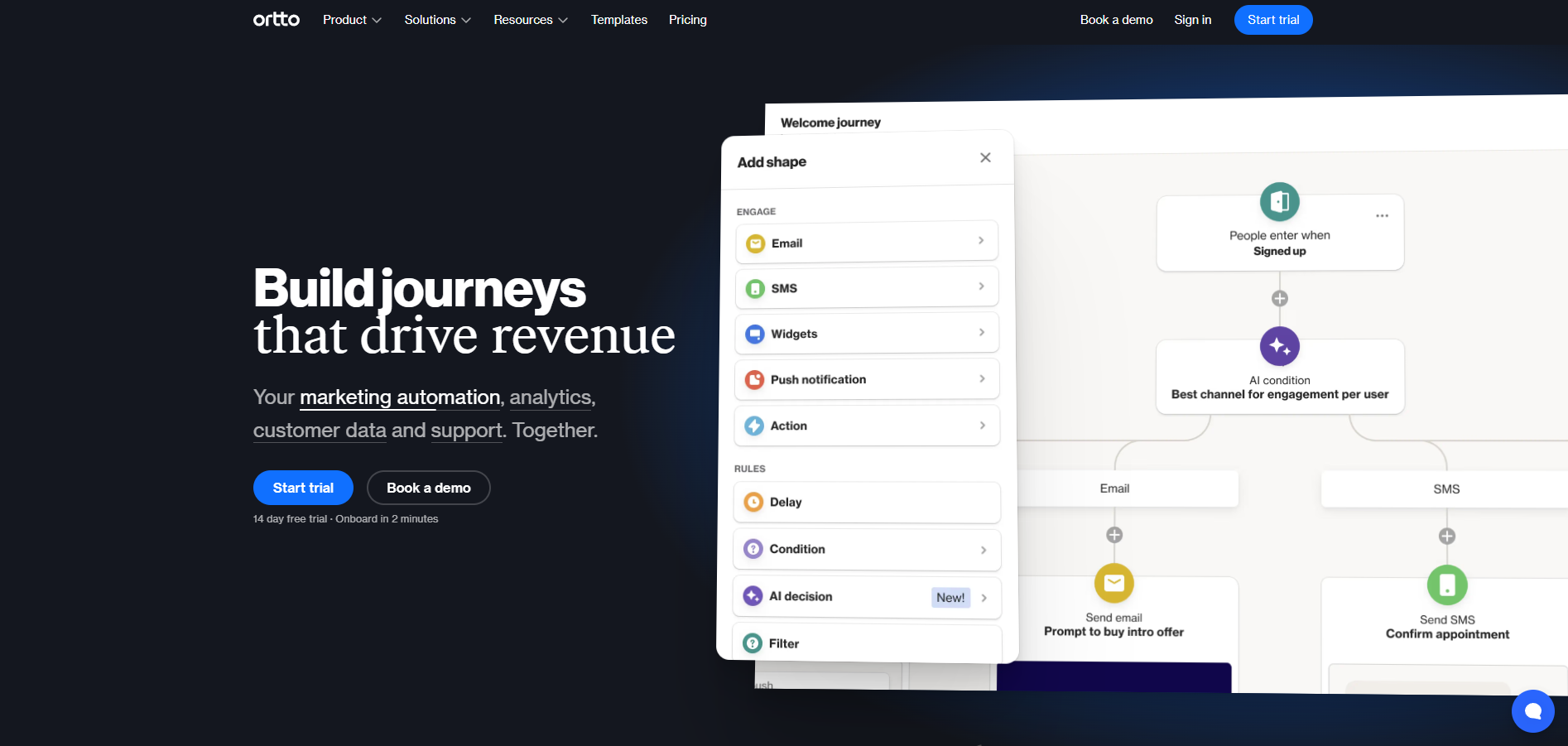
Ortto simplifies event-driven automation for lifecycle marketing through visual data mapping and customer journey insights. Its strength lies in connecting multiple data sources to create comprehensive trigger workflows across email marketing, SMS, and push notifications for growing businesses.
Ortto Key Features:
- Multi-source data ingestion for behavioral and transactional triggers
- Unified customer timelines showing real-time journey progression
- Dynamic audience segmentation based on trigger conditions
- Low-code automation builder for marketing teams
- Cross-channel delivery optimization for trigger campaigns
- Customer data platform capabilities with journey visualization
Pros and Cons of Ortto
Ortto Best Fit:
Best for high-growth SMBs needing automated, event-based trigger campaigns without extensive technical support. Compared to 11x's fully autonomous approach, Ortto provides semi-automated trigger marketing requiring ongoing rule management and manual optimization of campaign performance.
Ortto Pricing:
Plans start around $99/month with usage tiers based on contacts and triggered messages sent across channels.
Klaviyo
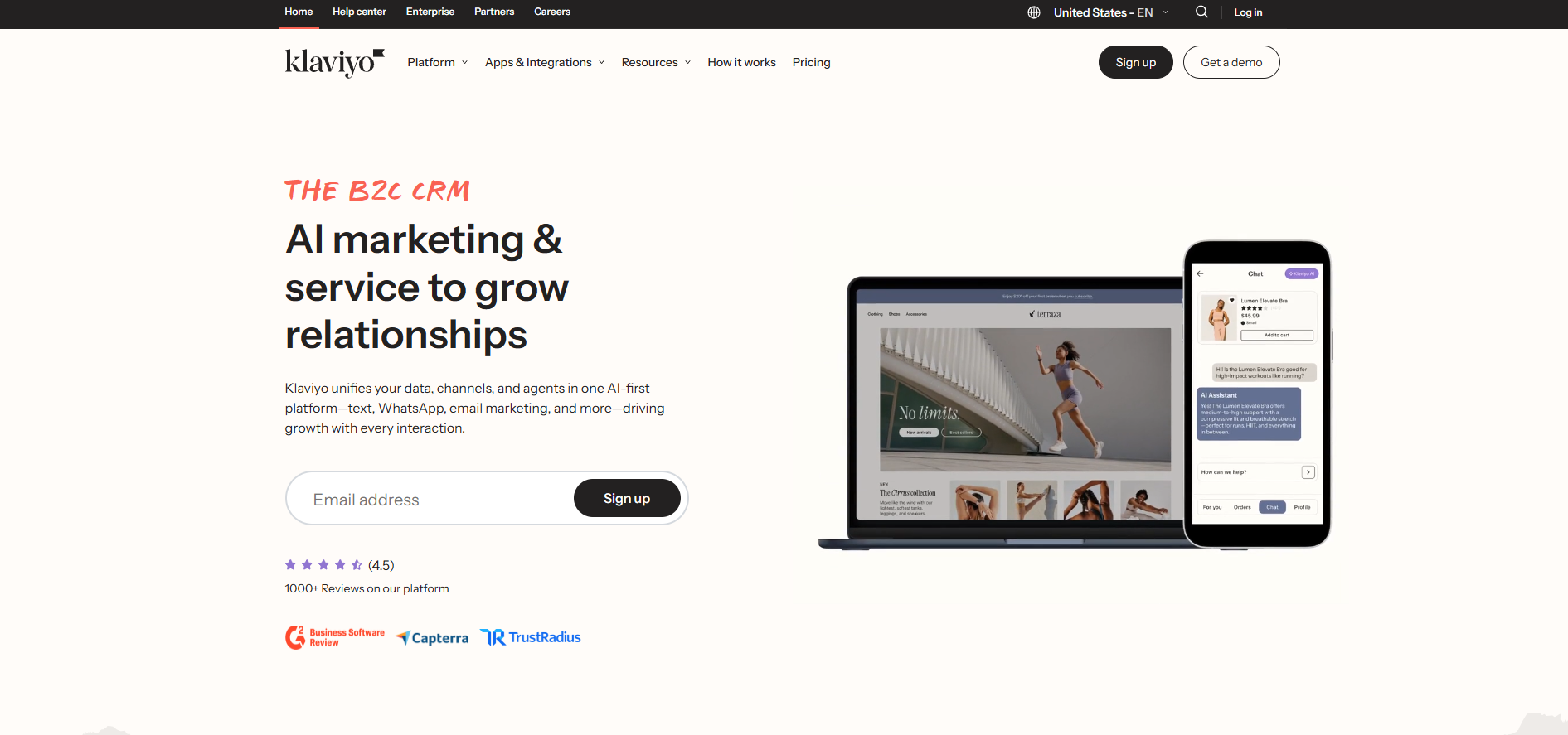
Klaviyo specializes in e-commerce trigger marketing, connecting directly to online stores to launch personalized automation workflows based on customer behavior and transactional data points. It excels at retail-specific trigger scenarios like abandoned cart recovery and post-purchase sequences.
Klaviyo Key Features:
- Pre-built templates for abandoned cart, browse abandonment, and post-purchase flows
- Native integrations with Shopify, WooCommerce, and major e-commerce platforms
- Advanced customer segmentation for targeted trigger campaigns
- Real-time analytics with industry benchmarks for trigger performance
- Predictive analytics for customer lifetime value and churn risk
- SMS and email coordination for multi-channel trigger sequences
Pros and Cons of Klaviyo
Klaviyo Best Fit:
Ideal for e-commerce brands running transactional trigger marketing campaigns. Compared to 11x's full-cycle intelligence across B2B sales processes, Klaviyo focuses on reactive e-commerce triggers rather than autonomous prospecting workflows that span multiple customer lifecycle stages.
Klaviyo Pricing:
Free tier for small contact lists; scales to approximately $150/month for up to 10,000 contacts with trigger automation features.
ActiveCampaign

ActiveCampaign combines advanced automation logic with CRM functionality, allowing fine-grained control over event sequences and conditional triggers across multiple marketing channels. It provides sophisticated workflow capabilities for teams needing complex trigger scenarios.
ActiveCampaign Key Features:
- Conditional automation logic for complex trigger scenarios
- Multi-channel delivery (email marketing, SMS, website messages)
- Behavioral tagging and lead scoring based on customer actions
- Integration capabilities with 900+ marketing and sales tools
- Machine learning insights for timing and content optimization
- Advanced segmentation with custom field tracking
Pros and Cons of ActiveCampaign
ActiveCampaign Best Fit:
Great for mid-market teams needing customizable, rule-driven trigger marketing workflows. Compared to 11x's autonomous execution, ActiveCampaign provides assistive automation requiring ongoing management and optimization, making it suitable for teams with dedicated workflow management resources.
ActiveCampaign Pricing:
Professional plans start at approximately $49/month, with pricing scaling based on contact volume and automation complexity.
How to Choose the Right Trigger Marketing Tool for Your Team
Selecting a trigger marketing platform isn't just about feature checklists—it's about alignment with your team's current maturity, the complexity of your workflows, and your growth trajectory. The right tool removes friction from your most repetitive processes while freeing your team to focus on strategy and optimization. Here's how to evaluate platforms and make a decision that actually moves your revenue metrics.
It follows your established pattern with:
- Action-oriented header using "How to Choose..."
- Lead-in paragraph that explains why selection matters and sets up the evaluation framework
- No new information — bridges case studies to the tool comparisons that follow
Case Studies: Trigger Marketing in Action
Theory is useful, but results speak louder. Here's how companies across industries are deploying trigger marketing to capture moments that matter and drive measurable revenue impact.
- Retail Example: An online retailer implemented abandoned cart trigger workflows using behavioral data and email marketing automation. The triggered campaigns recovered a significant portion of potential lost sales by delivering personalized messages within hours of cart abandonment, followed by a sequence of follow-up emails over several days.
- SaaS Example: A software company created post-signup onboarding triggers based on feature adoption data points. The trigger marketing strategy increased activation rates substantially through timely messages delivered when users completed specific actions, guiding them toward key features and value realization.
- B2B Example: A consulting firm deployed 11x digital workers to execute trigger-based outreach combining CRM data and intent signals. The autonomous system identified prospects showing buying behavior and engaged them within minutes, resulting in faster speed-to-lead and higher conversion rates compared to manual processes.
Metrics to Evaluate Success
Trigger marketing only works when you measure it. Without the right KPIs, you're flying blind, optimizing the wrong things and leaving revenue on the table. Here's what to track to prove ROI and continuously improve performance.
- Conversion Rates: Compare trigger campaign performance against traditional marketing campaigns. Track progression from initial trigger event to final conversion.
- Engagement Metrics: Monitor open rates, click-through rates, and response rates across triggered versus manual sends. Benchmark against industry standards.
- Customer Retention: Measure how trigger marketing affects customer loyalty, repeat purchases, and subscription renewals over time.
- Attribution Clarity: Ensure your CRM accurately tracks revenue influence from trigger campaigns. Connect trigger events to closed deals.
- Speed-to-Lead: Measure time from trigger event to first response. Faster engagement typically correlates with higher conversion rates.
GTM teams should embed KPI dashboards within their automation tools and review trigger marketing performance quarterly for continuous optimization, using data‑driven insights similar to those discussed in the AI Lead Scoring Guide to prioritize high‑intent behavior.
Common Pitfalls and How to Avoid Them
Even well-intentioned trigger strategies can backfire without proper safeguards. Here are the most common mistakes that derail trigger marketing performance—and how to prevent them.
- Overtriggering: Set frequency caps (maximum 3 emails per week) and implement global suppression rules to prevent message fatigue across all trigger campaigns. Create exclusion lists for customers already engaged in active sequences.
- Poor Data Quality: Enforce CRM hygiene practices and validate customer data sources feeding your trigger marketing automation tools. Implement data cleansing workflows that remove invalid emails and update contact information regularly.
- Generic Messaging: Create personalized message variants based on trigger context, customer journey stage, and behavioral data points. Develop content libraries with specific messaging for each trigger scenario rather than one-size-fits-all templates.
- Inefficient Workflows: Review automation logic quarterly, removing redundant triggers and optimizing message sequences based on performance metrics. Eliminate overlapping campaigns that could confuse customers or waste resources.
- Privacy Compliance Issues: Ensure explicit consent for all triggered communications and maintain transparent data usage policies for GDPR and CAN-SPAM compliance. Include clear unsubscribe options in every triggered message.
Activate Every Lead Before They Go Cold
Trigger marketing is straightforward: a customer action sparks an automatic response. Email opens, site visits, cart abandonment, inactivity, each one is an opportunity to re-engage. The speed and relevance of your response determine whether that moment converts or gets lost.
11x digital workers turn trigger marketing into a competitive advantage. Alice and Julian monitor behavior across every touchpoint in real time, executing personalized outreach the instant a trigger fires, no manual setup required. They adapt messaging, timing, and channels based on engagement signals, ensuring your team captures every high-intent moment.
Ready to stop leaving conversions on the table? Discover how 11x automates trigger campaigns at scale, turning behavioral data into booked meetings.
Frequently Asked Questions
A trigger in marketing is a predefined customer action or data point change that automatically initiates a marketing response. Common triggers include email opens, website visits, purchase completions, or inactivity. When the trigger condition is met, your marketing automation platform delivers relevant content through the proper channel.
11x AI digital workers excel at trigger marketing by continuously monitoring behavior across multiple touchpoints and executing personalized outreach automatically. Alice and Julian adapt timing, messaging, and channel sequences in real time based on engagement signals.
Trigger campaigns are automated workflows that dispatch relevant messages when trigger conditions are met. These operate across email, SMS, push, chatbots, and retargeting to connect with customers at the right moment in their journey. Combining behavioral and transactional data ensures higher engagement and conversion efficiency.
A trigger point refers to an event or behavioral milestone that signals readiness for engagement—like a pricing page view or cart abandonment. Identifying these points accurately enables marketing teams to shorten response time and improve conversion opportunities.
Trigger marketing typically includes event-based, engagement-based, lifecycle, transactional, and emotional triggers. Each corresponds to a customer behavior or sentiment that can be captured in automation workflows.
At 11x, trigger segmentation happens autonomously, continuously refining logic as customer interaction data evolves.